GameHub Lite Setup Guide
GameHub Lite is a free, community-maintained Android app that lets you play Windows games on your phone or tablet. It's a privacy-focused modification of the GameHub emulator with telemetry removed and no login required.
Quick Start
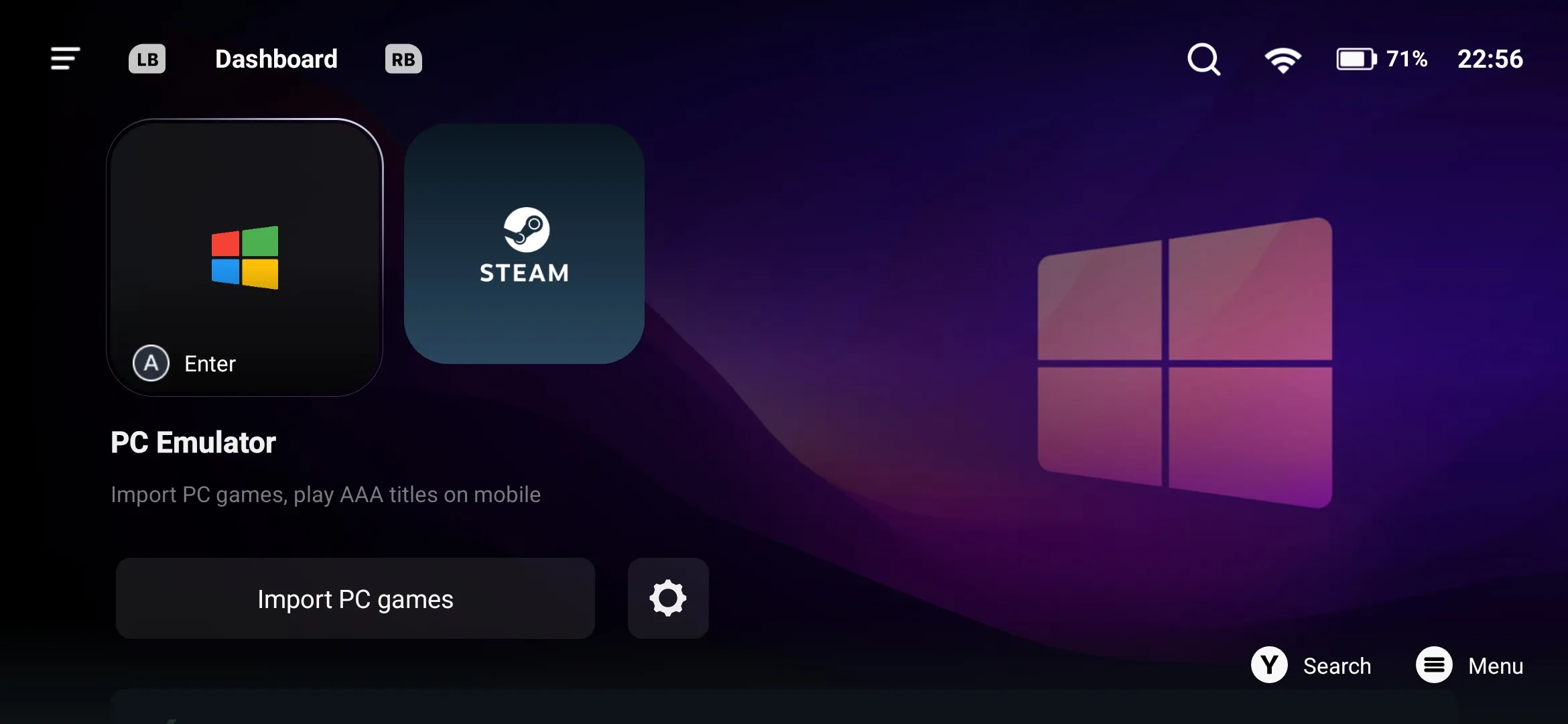
- Download the APK from the releases page
- Install the APK (you may need to enable "Install from unknown sources" in Android settings)
- Open GameHub Lite and tap Import Game
- Grant file access when prompted
- Navigate to your extracted game folder and select the game's
.exefile - Wait for Windows emulation components to download (first time only)
- Return to dashboard and tap the game icon to play

That's it! Most visual novels work out of the box with no additional configuration needed.
Controls
GameHub Lite uses touch controls by default:
- Drag anywhere on screen to move the cursor
- Tap to left-click
- Two-finger tap to right-click
Disabling Touch Overlay
If you find the on-screen controls distracting:
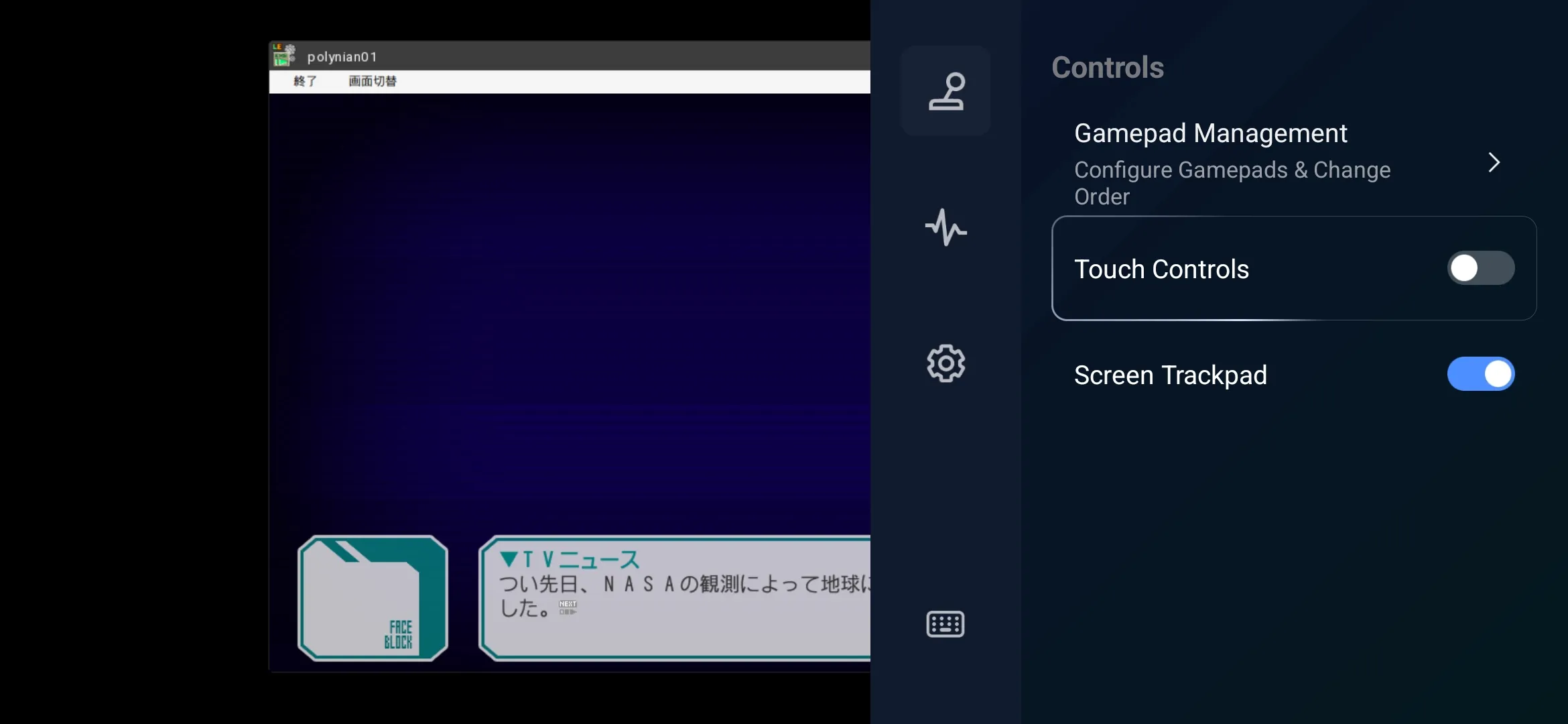
- Press the back button to open the settings menu
- Go to Controls
- Set Touch controls to off
External Controllers
GameHub Lite supports Bluetooth gamepads and USB controllers. Connect your controller and it should work automatically.
Game Settings
To access settings for a specific game, tap the ... next to "View Details" when selecting a game on the dashboard.
General Settings
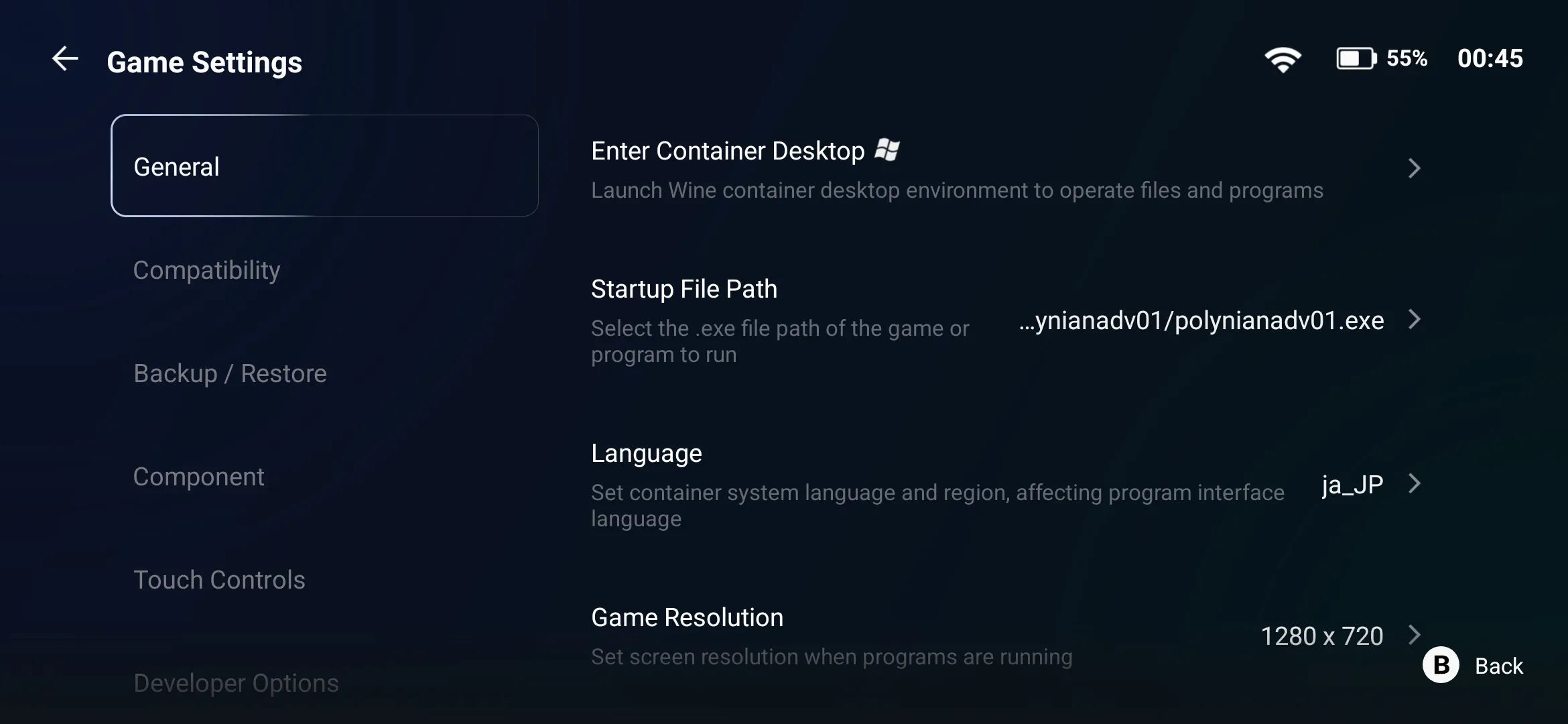
- Container language and region: If you're having display issues, try setting this to
ja_JP - Resolution: Adjust the rendering resolution
- Environment variables: Set custom environment variables
- Reset game data: Clear saved data for the game
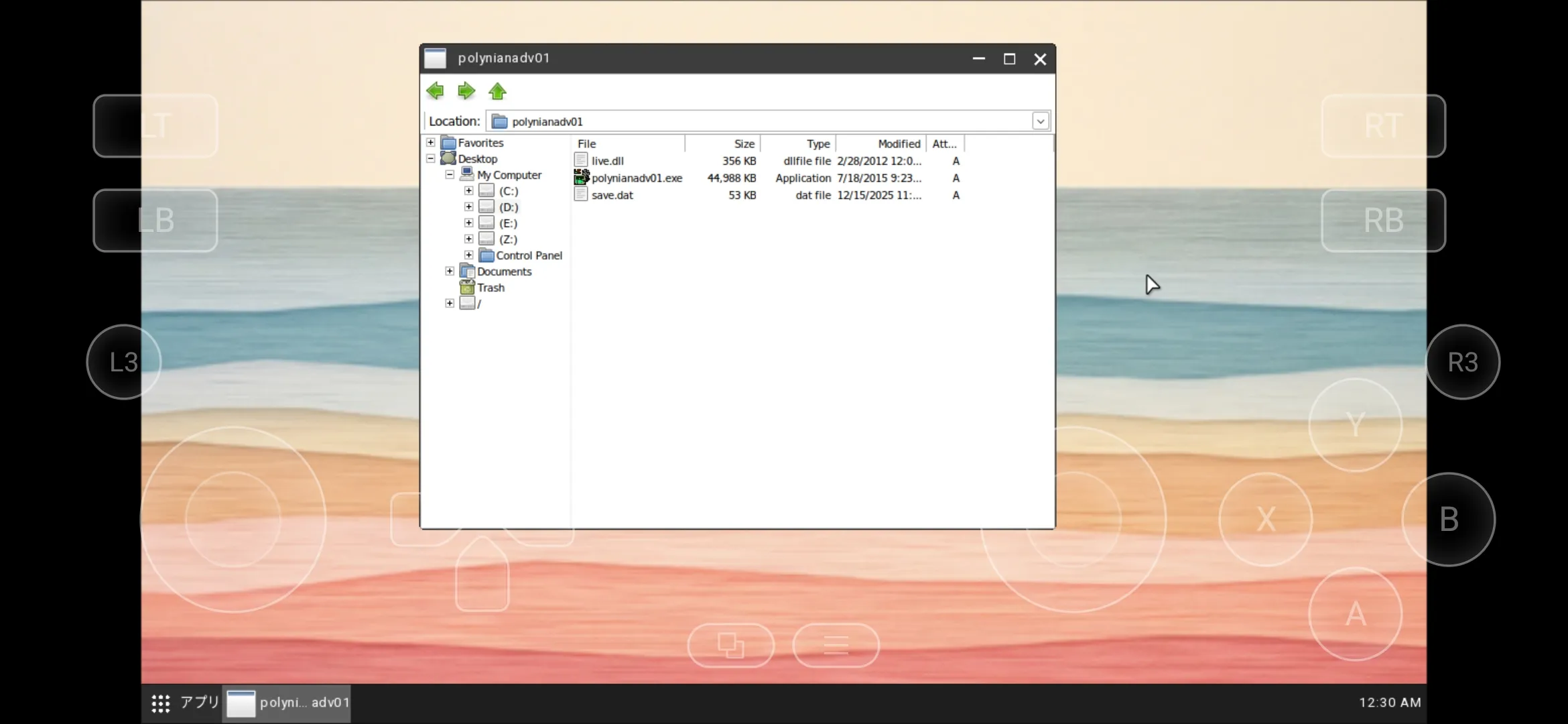
- Enter container: Access the Windows desktop and filesystem where your game runs
Compatibility Settings
Advanced options for users familiar with Wine, including selecting different compatibility layers.
Features
- No account required: Start playing immediately
- Privacy-focused: Telemetry, analytics, and tracking removed
- Works offline: No internet needed after initial setup
- Japanese text works: Most visual novels display correctly without extra configuration
- Steam library sync: Tap the Steam icon and sign in to sync your Steam play data
Related Pages
Created
Last updated